What OpenKumi does
Everything a bot is and can do, at more length than the front page.
Open-source, local-first AI bots, as a desktop app. Bots run on your own computer, or on another computer of yours that the app connects to. Each bot is a folder with its own instructions, memory, files and superpowers, plus its own conversation, subagents and a private web browser that stays logged in.
- Bring the subscription you already have. Bots run on Codex (your ChatGPT plan), Claude Code (your Claude plan) or Grok (your Grok plan): if the program is installed and signed in on the computer, OpenKumi uses it. No API key. Settings shows whether each one is connected; a bot’s settings choose what it runs on.
- Or no subscription at all. Local models through Ollama or LM Studio are found by themselves when the program is running. Other models plug in through any OpenAI-compatible endpoint (OpenAI API, OpenRouter).
- One conversation per bot. A bot is someone you talk to, not a list of chats: whatever you say lands in the same conversation, and the bot can look up anything said in it, however long ago. Start fresh when you want an empty page; the conversation so far is kept, to read, search or continue.
- Say more while it works. What you say to a bot that is busy waits in a queue, in view, and is read one message at a time. Take a waiting message back, or Send now to have the bot read it as it works and change course.
- Subagents. A bot can split work into parallel subagents, each in its own thread. Watch them live, open one to read or message it, or stop it. Results flow back to the parent automatically.
- A browser per bot. Every bot gets its own Chrome profile. Sign in to a site once and that bot stays signed in; nothing is shared between bots or with your own browser. Inside it, each session (the conversation, every subagent, every run of an automation) browses in a window of its own, so sessions running at once never get in each other’s way. When a bot starts browsing, a small live view floats over its chat; dock it beside the chat or make it fill the window. You watch until you Take control: then the page is yours to use, from the computer or the phone, and the bot can only read it until you Hand back. A bot that needs you for a sign-in or a CAPTCHA asks, and waits.
- Bots that write their own instructions. A bot keeps an
AGENTS.mdand amemory/folder and updates them as it learns how you want it to work. Every change it makes is recorded, shown in the app, and can be undone. - Superpowers. What a bot can do beyond chatting and browsing, switched on by you for one bot at a time: working in Notion, Linear, Jira and Confluence, ClickUp, Todoist, Evernote, Miro, Readwise or Typefully; keeping customers in Attio or folk, documents in PandaDoc and forms in Jotform; running sites in Webflow or Wix, email marketing in Klaviyo, product analytics in PostHog and error tracking in Sentry; reading your money in PocketSmith or your meetings in Granola, Otter.ai, Fathom or tl;dv; or know-how such as the weather, exchange rates, public holidays, watching a page, SEO and AI search, social posts, launches, landing pages and competitors. They are grouped by what they are for (Productivity, Work, Creative, Marketing, Travel, Everyday), and each has a page that says what it does and lets you read the files it gives a bot. Those that work in an app sign in with an account of the bot’s own. A bot can use what you give it but cannot change it or give itself more.
- Replies you can look at. Replies are drawn with code in colour (with a copy button), tables
that scroll sideways,
```mermaiddiagrams and formulas. A bot can also show a page in the conversation (a chart, a dashboard, a timeline), drawn in the app’s light or dark colours, on the computer and on the phone. - One master prompt, and a team that knows itself. Every bot is told the same master prompt, one file that comes with OpenKumi: the principles it follows and how OpenKumi works. Each bot is also told who the other bots are and what each is for, so it passes a task to the one it fits.
- Talk instead of typing. The microphone in the composer, on the computer and on the phone, writes what you say into the message as you say it, where the cursor was. It is written down on the device itself, with Apple’s speech models (macOS 26 or iOS 26 and later), so no sound leaves it, and the words go to the bot only when you send them, like anything typed. Esc (or ×) gives up and leaves the message as it was; Enter while it listens sends once the last words are in.
- Bots that work together. A bot can write into another bot’s conversation, to pass it work or to ask it for something and get the answer back. You read every such message in both conversations, and can switch it off.
- Bots that make bots. Create bots in the app, or just ask your main assistant in chat; it can start the new bot on its first job at once.
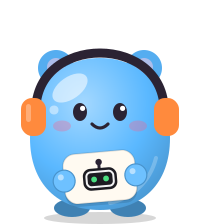
- A mascot for every bot. Each bot is a little jelly creature holding a sign with its emoji.
Choose its creature, colour, hat, extra and clothes, or leave it and the new bot dresses itself
from its name and what it is for. Its look is a line in
bot.md(look: cat sky cap orange).